Sales, Finance Managers, or any other user which have the rights, are able to approve bookings to be sent to Traffic.
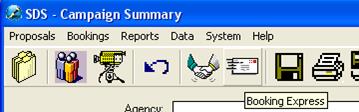
From the Campaign Summary window, click on the Booking Express button.
From the Booking Express, Sales and Finance Managers will be the only ones to view their respective Inbox. Each manager will need to check Booking Express frequently to approve or reject bookings so they may be sent to Traffic. There aren’t any alerts available in SDS to let the Managers know that they have pending orders to look after, so it is their responsibility. If they are rejected, Sales must then make the necessary adjustments and click on the Handshake button again to send it through the process again. Also, Sales Managers have the ability to change the Revenue Type and the Order Type on the booking before accepting or rejecting it.
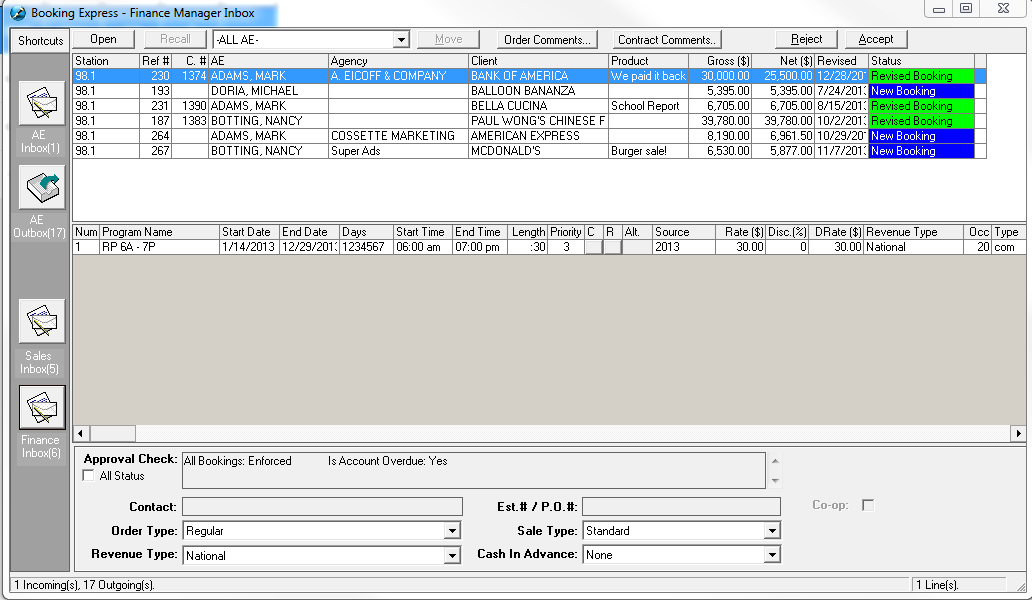
In the example below, the client “A Spa for You” has failed their Allowable Credit, as the Account is Overdue. There is a button just below the check box ‘All Status’ labeled ‘CR Info’
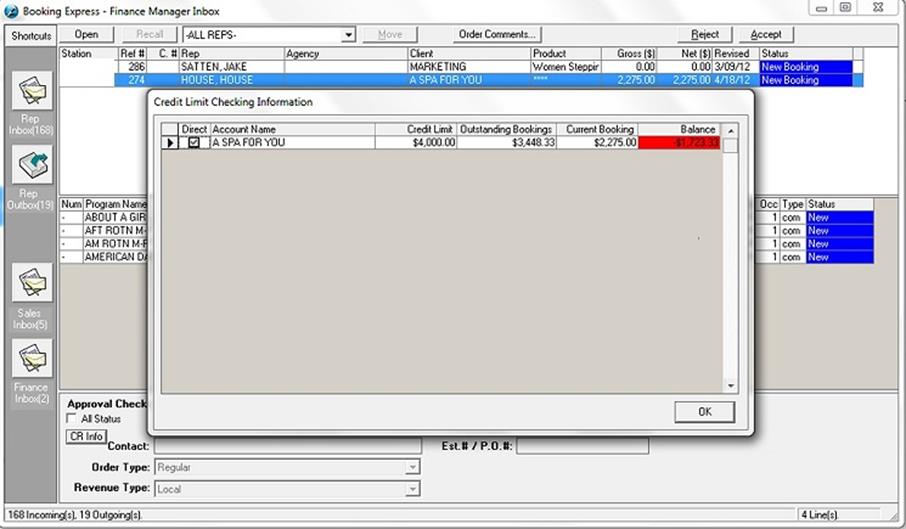
After clicking this button, the following screen will appear. This will give specific detail on what the credit limit is, what the outsanding bookings are, what the current booking is worth, and what the balance is. Since the currect booking exceeds the allowable $4000 credit limit, the order could be rejected by the Finance Manager (note that only the Finance Manager will see the ‘CR Info’ button)
Each Booking request which requires approval will be listed in the top window. When selected, the line details of the contract will be displayed in the middle window. The manager will be able to see why the booking required their approval from the Approval Check field; the status of the approval checks will indicate which checks have failed. To view checks which have passed check mark “All Status” Once the booking is reviewed, the manager will either select the Accept button from the top right corner of the window to approve and send to Traffic or select the Reject button to send back to the Account Executive so they may revise it.
The calculation of a client’s outstanding balance is: The cost of all orders currently in Traffic (+) the cost of all booked orders currently in Sales only (–) the total payments received in AR = the outstanding balance.
If a booking is Rejected, a window will pop up asking you to enter a reason. This will allow you to inform the Account Executive why a booking was rejected so they may revise accordingly. When the order is opened up by the Sales Rep, the comments will appear in two places – in the booking express, and in the Header under the View/Edit comments button
Note: It is extremely important that the managers check their inbox frequently, otherwise bookings which require their approval will not be sent to Traffic. There aren’t any email alerts that are sent to the Sales Manager/Finance Manager, so it is up to them to check the Booking Express area of the system.