
Booking Express is only used if SDS Sales is connected to the SDS Traffic System.
Booking Express is a feature which allows the Sales users to verify their booking status from Traffic. From the Campaign Summary window, click on the Booking Express button.
The Booking Express window will default to the Rep Inbox.
Inbox
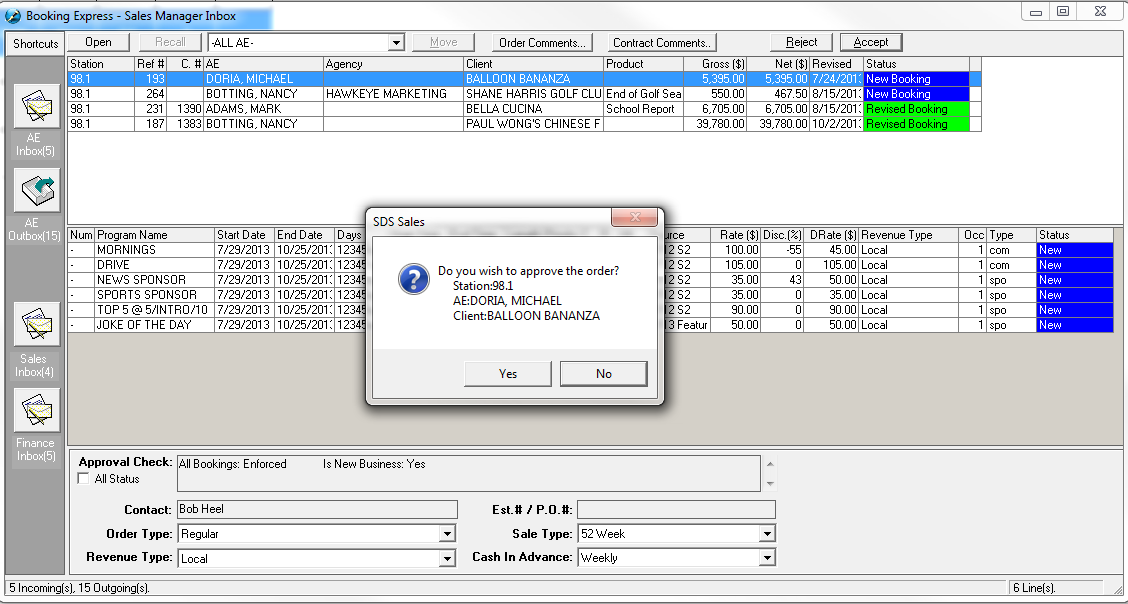
Items which are in your Inbox means Traffic or Management have processed the booking. From the Sales Inbox window, you will see the different bookings, which have returned with status updates. Verify if the bookings have been Booked, Rejected or Revised by Traffic. Select each contract so you may view the line details from the middle window; although the Booking may have been Booked, certain lines may be Rejected. There will be a reason entered in the “Contract Comments” area of the window pane. Click the ‘Open’ button (or double click) while the contract is selected. You will be able to go back into Schedule Builder to make any necessary revisions and Book again. If the entire order is rejected, you must delete the lines and re-enter the correct ones.
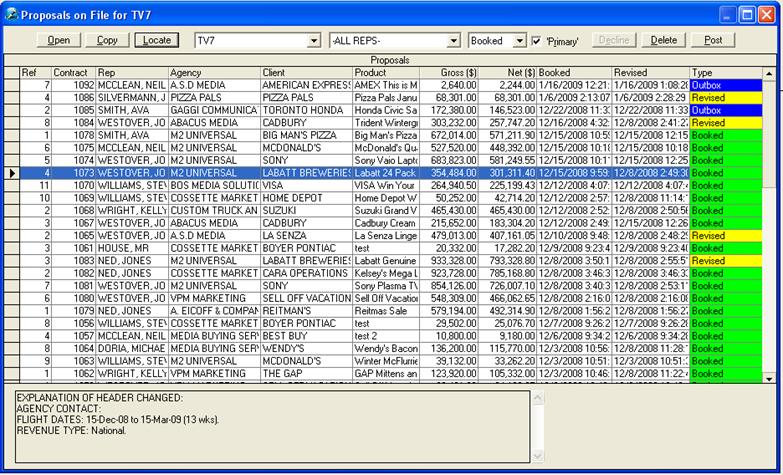
Outbox
By selecting Outbox button, you will be able to view Bookings, which have been sent to Traffic. These Bookings have not been processed and are waiting for Traffic or Management approval.
Depending on the Security setup, some users will only have access to the Rep Inbox/Outbox or the Sales and/or Finance Inboxes.

All users will be able to view any rules or comments that have been added to the booking. If there are Order Comments or Contract Comments, the button will be highlighted yellow at the top of the screen. If there is a placement rule added, click on the yellow “P” – the placement rule screen will appear indicating the details of the spots. In addition to this, the sales/finance manager can make changes to the DRate$, Revenue Type on the line, spot length, spot type, and priority on the lines. At the Header level, the Manager can also change the Order Type, Revenue Type, and the Sale Type. Please note that these changes are only available with new bookings/new lines (on an existing contract), and not on existing revised lines.

Note: The number of bookings awaiting approval in the Outbox is in brackets.
If a booking has been in the Outbox for a long time, you may want to contact your Traffic/Management to verify if they have received this booking. If Traffic/Management has not received this booking, please report to SDS Support via e-mail: support@sds.ca
Sales Inbox vs Finance Inbox
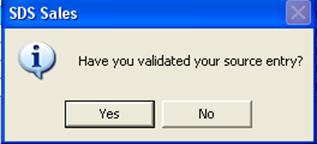
Within System Wide Settings, there is an option to turn on the approvals for either the Sales Manager or the Finance Manager, or both (see the System Wide SettingsàSales Rules tab for more information). When these options are turned on, there will be a Sales Inbox and/or a Finance Inbox and one (or both) will need to approve the order before it is received by the Traffic Manager for approvals. If the option is turned on, a prompt will appear asking if this is the correct order for approvals. Click Yes to approve it, click No to go back to the Inbox.
