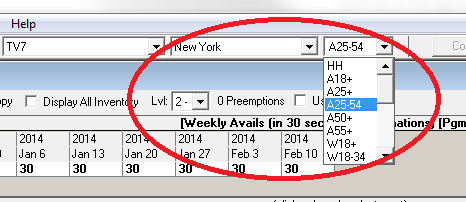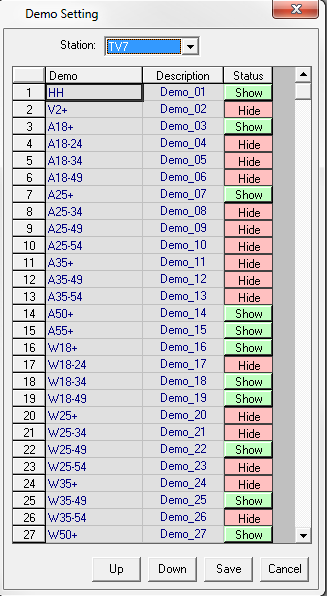
Before importing an audience table into SDS, ensure that the demo’s that are being used have been set up properly in the system. From the Campaign Summary Page, go to Data and select Demo Setting. A screen similar to the following will appear. All of the demos that have “Show” appearing means that these will appear in the demo drop down within the schedule builder. Where it says “Hide” it will not show up. In the example below, HH is Showing, but V2+ is Hidden. In the drop down within Schedule Builder, V2+ is not listed