
Once the audience tables have been created in Microsoft Excel, it is time to import them into the SDS Sales System. Depending on the format which your network subscribes to, follow the appropriate instructions from below.
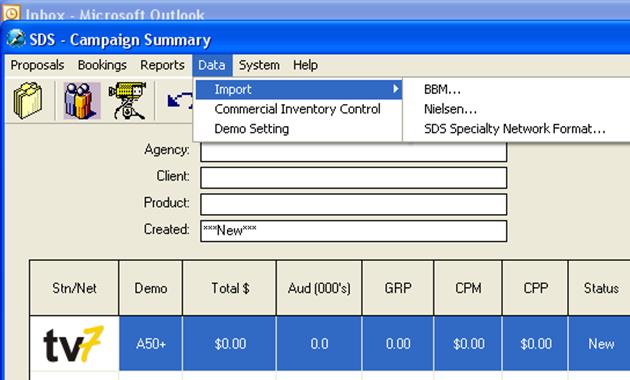
From the Campaign Summary window, under the Data menu, select Import and then SDS Specialty Network Format.
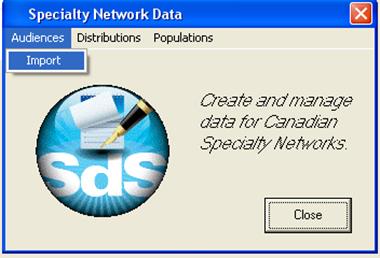
From the Specialty Network Data window, under Audiences Menu, select Import.
A new window will pop up and ask you to Select Audience Database to Import. Locate the Microsoft Excel Audience Table, which you want to import. Double click on the desired MS-Excel file from the selection window.
From the Import Audience Data window, select the appropriate Network, Distribution Table (Usually the most recent) and Population Table (Usually the most recent) then click OK. The population and distribution tables are not prepared by SDS, nor provided by SDS. This information will have to be attained internally, or by Numeris/Nielson.
A window will pop up asking you to enter a name for the Audience Table. This name will be displayed to the users of the system, a descriptive name, which allows the users to differentiate between different Audience Tables, should be used.
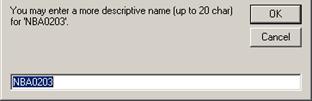
Once the name is entered click OK, and the audience table will be imported. Once it’s finished, the following message will appear:
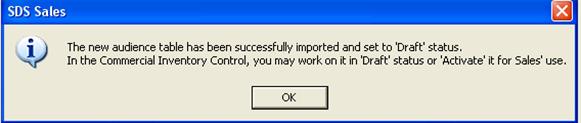
As indicated by the message, the rate card is sitting in a “Draft” status in Commercial Inventory Control. Before or after activating it, any changes can be made to the audience table (title of programs/dayparts, start/end time, etc)
If errors occur during importing, please verify that your MS-Excel format of the Audience Table conforms to these rules:
•The name of the tab at the bottom needs to be Sheet 1
•The name of the program must only be 20 characters
•The market ID must be correct (provided by Numeris/Nielson)
•You can’t freeze the panes within the sheet, or have inserted comments on the cells
•The name of the spreadsheet must be in an 8 character format. For example AUDSPR12.xls
•If the rating/audience information doesn’t have anything for a demo, you need to enter zeroes
•You must import a population table separately, and must be in SDS’ format (data provided by Numeris)