Note:
Before you begin, make sure you have already loaded a survey into SDS. To do this, please see Numeris Survey Management
The latest Numeris Survey can be applied to an existing rate card. This will create a copy of the rate card selected and allow users to use the new Survey once activated.
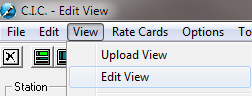
To do this, start by selecting the station and switching to Edit View
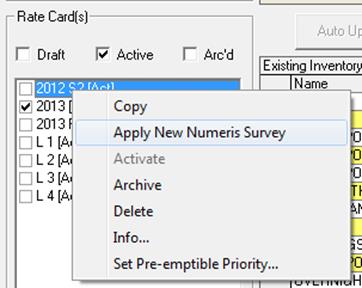
You will then see a list of active rate cards on the left. Checkmark the corresponding box and right click. Then select Apply New Numeris Survey.
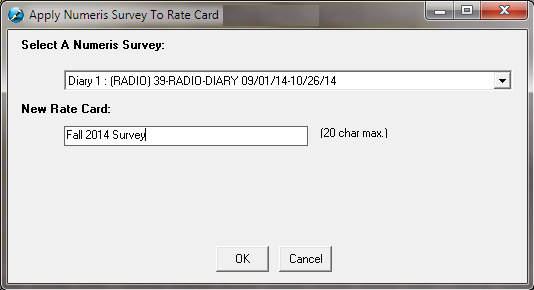
The follow window will appear. Select the survey and give the new rate card a name.
Press OK and the system will display progress bars below. This may take some time.
Once complete, select Draft from Rate Cards.
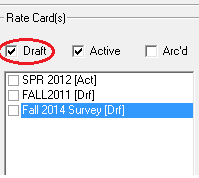
The newly created rate card will now appear.
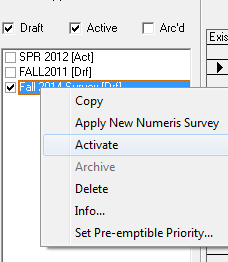
Checkmark the box, right click and select Activate. The new Rate card is now ready to use!
Note: Don’t forget to change the default Audience Source from System Wide Defaults. Otherwise, AEs may continue to use the old rate card. See Audience Tab in System Wide Settings